
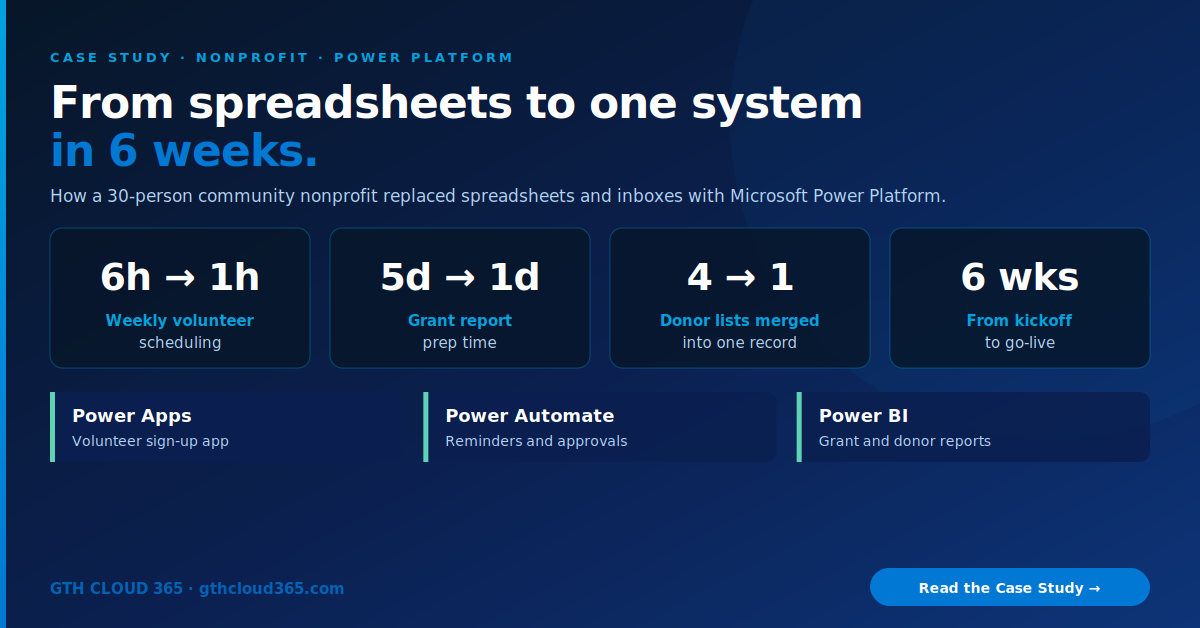
We used Power Platform for nonprofits to build a connected system on top of their existing Microsoft 365 environment.
Power Platform for nonprofits can turn scattered spreadsheets, inboxes and manual reports into one simple system. This is how a 30-person community services nonprofit in Central Indiana got there in six weeks, using tools they already had in Microsoft 365.
Industry: Nonprofit / Community Services | Service: Power Platform Development | Team size: 30 staff, 120+ volunteers | Timeline: 6 weeks
The Challenge
The nonprofit runs food assistance, after-school tutoring and seasonal outreach programs. The mission was growing, but the operations behind it hadn’t kept up.
Volunteers were tracked in five different spreadsheets. Each program coordinator kept their own. Shift sign-ups came in by email, text and phone. The volunteer manager spent about six hours a week copying names between sheets, chasing no-shows and sending reminders by hand.
Grant reports took a full week. Every quarter, the development director pulled volunteer hours, client counts and program numbers from several files, rebuilt them in Excel, and checked everything twice. Funders wanted the same numbers in slightly different formats, so the work kept repeating.
Donor information lived in four places. That meant an old database export, a shared Excel file, the executive director’s inbox, and a list of event sign-ups. Nobody was sure which address or giving history was current. Thank-you letters were sometimes late or missed.
They already paid for Microsoft 365, but they used it for email and file storage and little else.
The Solution
We built a connected system on Microsoft Power Platform, on top of their existing Microsoft 365 environment. There was no new vendor and no separate login for staff.
1. Volunteer sign-up app (Power Apps)
A simple mobile-friendly app where volunteers see open shifts across all programs and sign up in a few taps. Coordinators see one shared schedule instead of five spreadsheets. Volunteer data is stored in SharePoint lists with permissions set by role. For most small teams, this is the quickest win Power Platform for nonprofits delivers.
2. Automatic reminders and approvals (Power Automate)
- Confirmation emails when a volunteer signs up
- Reminder 48 hours before each shift
- New volunteer applications routed to the volunteer manager for approval
- Hours logged automatically when a coordinator checks someone in
3. One donor record
We cleaned and merged the four donor sources into a single list, removing duplicates and outdated records. Staff can log gifts and contacts through a simple form, and a flow reminds the team to send thank-you letters within 48 hours.
4. Grant and impact reports (Power BI)
A dashboard pulls volunteer hours, people served and program activity straight from the new system. Reports for each funder are saved as filtered views, so quarterly reporting is a review rather than a rebuild. Board members see summary pages only. We used Power BI row level security so donor details stay limited to the development team.
5. Governance from day one
We set up a dedicated Power Platform environment, data policies that control which connectors apps can use, and clear owners for every app and flow. Our Microsoft 365 governance framework guided the security setup, so the system will hold up as more staff start using it. Here’s how we rolled out Power Platform for nonprofits in six weeks without disrupting daily programs.
How We Rolled It Out
| Week | Focus |
|---|---|
| 1 | Discovery: mapped every spreadsheet, form and inbox the team relied on |
| 2 | Data cleanup: merged donor lists, standardized volunteer records |
| 3–4 | Built the volunteer app, flows and donor forms; tested with two coordinators |
| 5 | Built the Power BI grant dashboard and funder views |
| 6 | Staff training, go-live, and a handover guide for each app |
We trained the team in short, role-based sessions: coordinators learned the volunteer app, the development team learned donor logging and reporting, and leadership learned the dashboard. Six weeks after go-live, Power Platform for nonprofits had changed how the whole team worked.
The Results
| Metric | Before | After |
|---|---|---|
| Weekly volunteer scheduling | ~6 hours | ~1 hour |
| Quarterly grant report prep | 5 days | 1 day |
| Donor lists | 4 separate sources | 1 trusted record |
| Volunteer shift reminders | Manual | Automatic |
| Time to go live | n/a | 6 weeks |
Beyond the numbers:
- Fewer no-shows, because volunteers get automatic reminders
- Faster thank-yous, so donors hear back within two days
- Board meetings use live numbers instead of slides built the night before
- No new software subscriptions, because everything runs inside their Microsoft 365 environment
“We used to spend the first week of every quarter just finding our own numbers. Now the report is basically ready when we open it.”
Development Director
Why Power Platform for Nonprofits Works
Most small nonprofits already have Microsoft 365, and Microsoft offers discounted pricing and grants for eligible nonprofits. Power Platform for nonprofits builds on that investment:
- Low-code, so changes like a new program or form field don’t need a developer every time
- Familiar, because it runs inside Teams, Outlook and SharePoint, tools staff already use
- Secure, using the same Microsoft identity, permissions and compliance controls as the rest of Microsoft 365
- Scalable, so you can start with one app and add more as the organization grows
For more on what the platform can do, see Microsoft’s Power Apps overview on Microsoft Learn. Power Platform for nonprofits is also a strong base for AI.
What’s Next for This Nonprofit
With clean, organized data in place, the team is now looking at a simple AI agent to answer common volunteer questions (“Where do I park?”, “What should I bring?”). Our Copilot vs Copilot Studio guide explains when that kind of agent makes sense.
Could Your Nonprofit Use This?
If your team is juggling spreadsheets, inboxes and manual reports, you’re not alone. Most of these problems can be fixed with tools you already pay for.
Our Power Platform services help nonprofits and small businesses:
- Replace spreadsheets with simple apps
- Automate reminders, approvals and data entry
- Build funder-ready reports in Power BI
- Set up governance so it all stays secure
Ready to see what Power Platform for nonprofits can do for your team?
👉 Book a free consultation and we’ll map your biggest time-waster in 30 minutes.