
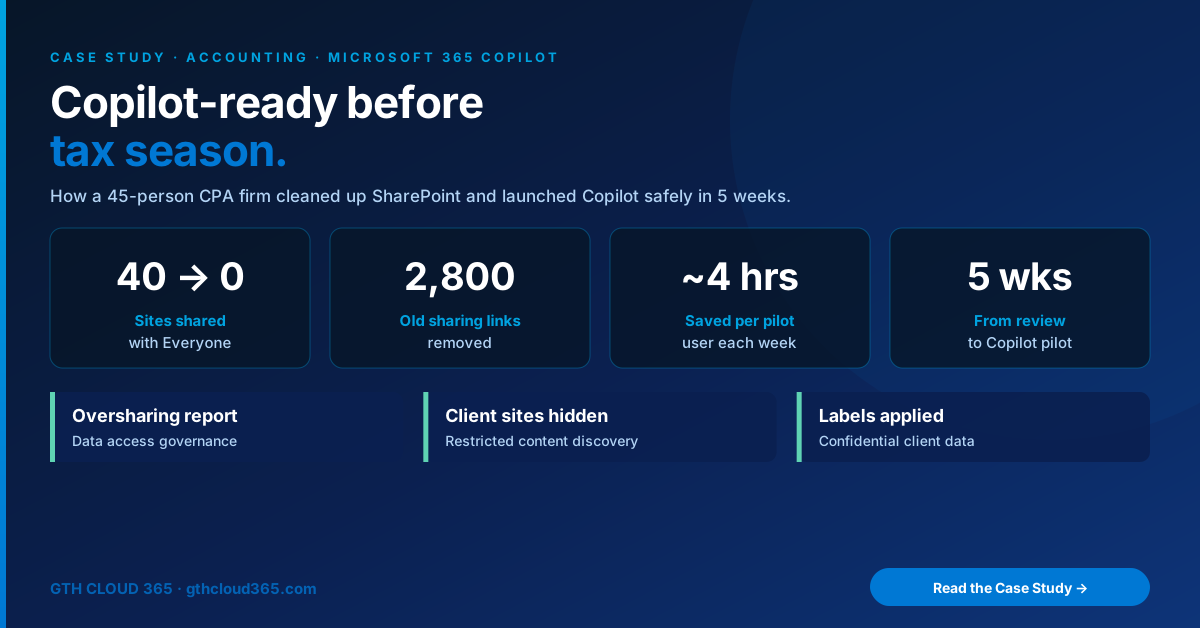
Copilot for accounting firms can save hours on client email, engagement summaries and research, but only if client files are protected first. This is how a 45-person CPA firm in Central Indiana cleaned up SharePoint and launched a safe Microsoft 365 Copilot pilot in five weeks, just before tax season.
Industry: Accounting / CPA | Service: Copilot & AI Readiness | Team size: 45 staff, 6 partners | Timeline: 5 weeks
The Challenge
The partners wanted Microsoft 365 Copilot in place before January. Staff were already asking for it, and the firm saw real value in faster client emails, meeting recaps and first drafts of engagement letters.
But one partner asked the right question: “If Copilot can see everything our people can see… what can our people see?”
Our Copilot readiness review found the answer:
- 40 SharePoint sites shared with “Everyone except external users,” including folders with client tax returns, payroll records and engagement letters
- About 2,800 old sharing links, many of them “Anyone” links created years earlier to send files to clients
- Three years of inactive engagement sites that nobody owned or reviewed
- No sensitivity labels on any client data
- Client folders open to the whole firm, when most staff should only see the clients they work on
Turning on Copilot in that state would have made it easy for any employee to surface any client’s financial information with one question. For a firm that handles taxpayer data, that wasn’t acceptable.
Why Copilot for Accounting Firms Needs Extra Care
Accounting firms hold some of the most sensitive data in any small business: Social Security numbers, bank details, income records and business financials. Tax preparers are also expected under the FTC Safeguards Rule to keep a written information security plan (WISP) and limit access to customer information.
Copilot doesn’t create new access, but it makes existing access very easy to find. That’s why Copilot for accounting firms starts with permissions, not prompts.
The Solution
We followed the same six steps in our guide to prepare SharePoint for Copilot, adapted for a CPA firm.
1. Found the oversharing.
Using SharePoint Advanced Management data access governance reports (included once the firm had Microsoft 365 Copilot licenses), we listed every site shared broadly, every “Anyone” link, and every site without an owner.
2. Fixed broad sharing on client sites.
We removed “Everyone except external users” from all 40 sites and replaced it with security groups by service line (Tax, Audit, Advisory, Payroll). Staff kept access to the clients they work on and lost access to the ones they don’t.
3. Hid sensitive sites during cleanup.
While permissions were being fixed, we turned on Restricted Content Discovery for client and HR sites, so they wouldn’t surface in organization-wide search or Copilot for people who hadn’t worked with them.
4. Removed old links and changed defaults.
We cleared about 2,800 outdated sharing links and changed the default link type to Specific people. We also set guest access to expire after 90 days, following our Microsoft 365 guest access governance plan, so client file-sharing no longer leaves permanent open doors.
5. Assigned owners and archived old engagements.
Every active site now has two owners, usually a partner and a manager. Engagement sites older than three years were moved to a restricted archive, so Copilot draws on current work, not outdated drafts.
6. Labeled confidential client data.
We created simple sensitivity labels (Internal, Client Confidential and Highly Confidential) and applied them to client libraries, payroll and partner sites. Highly Confidential blocks guest sharing entirely.
7. Launched a 10-person Copilot pilot.
Only once the cleanup was done did we assign Copilot licenses to 10 pilot users: partners, managers and two admin staff. We gave them a short prompt guide for accounting work (summarizing client email threads, drafting engagement letters, recapping Teams meetings) and tracked time saved each week.
How We Rolled It Out
| Week | Focus |
|---|---|
| 1 | Readiness review and data access governance reports |
| 2 | Permission cleanup on client and HR sites; Restricted Content Discovery turned on |
| 3 | Link cleanup, sharing defaults, guest expiration, site owners |
| 4 | Archive of old engagements; sensitivity labels applied |
| 5 | Copilot pilot launch, training and first time-saved check-in |
The Results
| Metric | Before | After |
|---|---|---|
| Sites shared with “Everyone” | 40 | 0 |
| Old sharing links | ~2,800 | Removed |
| Sites with two owners | Few | All active sites |
| Client data labeled | None | All client libraries |
| Copilot users | 0 | 10-person pilot |
| Time saved per pilot user | n/a | ~4 hours a week |
What the pilot group used Copilot for most:
- Summarizing long client email threads before calls
- Drafting engagement letters and client follow-ups
- Recapping Teams meetings with action items
- Pulling key points from long PDFs and IRS notices
The firm now plans to extend Copilot to more staff after tax season, using the same permissions and labels.
“We wanted Copilot, but not at the cost of our clients’ trust. Cleaning up first was the right call, and it was faster than we expected.”
Managing Partner
(Use a real client quote with permission, or remove this block.)
Lessons for Other Firms Considering Copilot for Accounting Firms
- Start with permissions, not licenses. The cleanup took four weeks, and the pilot took one.
- Group access by service line. It’s simpler than per-client permissions and much safer than “Everyone.”
- Archive old engagements. Fewer outdated files means more accurate Copilot answers.
- Pilot before you scale. Ten users and real time-saved numbers make the case for wider rollout.
- Pick the right Copilot. Most firms need Microsoft 365 Copilot first. See Copilot vs Copilot Studio.
Microsoft’s own feature list is in SharePoint Advanced Management features with a Copilot license on Microsoft Learn. For data security guidance aimed at tax professionals, see the FTC’s Safeguards Rule guide for businesses.
Is Your Firm Ready for Copilot?
Copilot for accounting firms works best when client data is locked down first. Our Copilot and AI readiness service helps CPA and professional services firms:
- Find and fix SharePoint oversharing
- Protect client files with groups and sensitivity labels
- Clean up old sharing links and guest access
- Launch a measured Copilot pilot with real time-saved results
👉 Book a free Copilot readiness check. We’ll show you your top client-data risks in 30 minutes, before tax season starts.