
The Client
Microsoft 365 compliance for healthcare SMBs is not achieved by purchasing the right licenses — it requires implementing the controls those licenses include, and most healthcare organizations have never done it. The organization provided outpatient therapy, counseling, and wellness services to patients across their region and handled a significant volume of protected health information on a daily basis through Microsoft 365.
Service: Microsoft 365 Governance and Security
Industry: Healthcare
Company Size: 195 employees — SMB
Location: United States
Technologies: Microsoft 365, SharePoint Online, Microsoft Teams, Microsoft Purview, Exchange Online, OneDrive for Business
The Business Challenge
The healthcare organization had been using Microsoft 365 for three years. Their clinical and administrative staff used Teams for daily communication, SharePoint for document management, and Exchange Online for email. OneDrive was used extensively for storing patient-related documentation, case notes, and administrative records.
The organization knew that HIPAA compliance required them to protect patient health information — and they believed their Microsoft 365 environment was secure because they had purchased Microsoft 365 Business Premium licenses which included security and compliance capabilities.
What they did not know was that having the right licenses and actually using the compliance capabilities are two very different things.
The wake-up call came during a routine internal review ahead of a cyber insurance renewal. The insurance provider asked the organization to confirm that their Microsoft 365 environment had data classification policies, access controls, and audit logging in place for protected health information.
The IT coordinator — a single person managing Microsoft 365 for all 195 staff alongside other responsibilities — could not confirm any of these things with confidence.
When the organization reached out to GTH Cloud 365 they had three immediate concerns. First they needed to understand their actual compliance posture before responding to the insurance provider. Second they had been exploring Microsoft Copilot as a way to reduce administrative burden for clinical staff but had been told by their IT coordinator that they should not enable it until their governance was in order. Third they had received guidance from their legal team that a HIPAA risk assessment was overdue and that their Microsoft 365 environment needed to be included in the scope.
All three concerns pointed to the same underlying issue — Microsoft 365 governance had never been properly implemented despite three years of active use.
Why They Chose GTH Cloud 365
The organization had contacted two other Microsoft partners before reaching GTH Cloud 365. Both proposed solutions that were designed for enterprise healthcare systems — complex multi-year implementations with price tags that assumed a dedicated IT department and a large compliance team.
GTH Cloud 365 was recommended through a professional connection who had worked with us on a previous Microsoft 365 engagement. In the first conversation we were able to speak specifically to the challenges a 195-person healthcare SMB faces — not a hospital system, not a large practice group, but a real growing organization with limited IT resources trying to do the right thing with the tools they already had.
We proposed a focused four-week engagement scoped specifically to their environment, their licensing, and their compliance requirements. No enterprise framework. No multi-year roadmap. Just the specific governance controls they needed — implemented in the Microsoft 365 Business Premium licenses they were already paying for.
What GTH Cloud 365 Found
We began with a comprehensive Microsoft 365 governance and compliance assessment. What we found was consistent with what we see in most healthcare SMBs that have adopted Microsoft 365 without dedicated compliance expertise.
Data classification and sensitivity:
- Zero sensitivity labels applied anywhere in the tenant despite Microsoft Purview being available in their Business Premium license
- No data classification policy existed — clinical notes, patient intake forms, billing records, and internal HR documents were all stored and shared identically with no distinction between public, internal, and protected health information
- Patient-related documents were present in SharePoint libraries accessible to all clinical staff regardless of whether individual staff had a clinical relationship with the patient in question
Access controls and permissions:
- SharePoint sites had been created ad hoc over three years with no consistent permission structure — 14 sites existed with inconsistent access controls across them
- 8 external sharing links were active — 3 of which pointed to documents containing patient-related information
- No guest access review had ever been conducted — 6 external guest accounts were active from referral partners and former contractors
- OneDrive sharing settings allowed users to share files with anyone with a link by default at the tenant level
Email and communication:
- No DLP policies existed in Exchange Online — clinical staff could email patient information externally with no warning, no block, and no audit record
- No email retention policies were in place — emails were retained indefinitely with no lifecycle management
- Teams channels included external guests in 4 instances where the appropriateness of that access had never been reviewed
Audit and monitoring:
- Audit logging was enabled at the tenant level but had never been reviewed or configured for alerting
- No process existed for detecting unusual access patterns or potential data exfiltration
- The organization had no way to answer the question “who accessed this patient document and when” without a manual and time-consuming investigation
Copilot readiness:
- The environment was not ready for Copilot under any circumstances — enabling Copilot in this state would have allowed clinical staff to query patient information across the entire organization regardless of clinical relationship, and could have created serious HIPAA violations within hours of activation
What We Did
We structured the engagement across four focused weeks, prioritizing the highest-risk items first and working in parallel where possible to meet the four-week timeline.
Week 1 — Assessment, risk mapping, and immediate quick wins
Our Microsoft 365 compliance healthcare engagement began with a comprehensive assessment delivered within the first three days.
We completed the full compliance assessment and delivered a prioritized risk report by end of day three. The report identified critical risks requiring immediate action — specifically the three external sharing links containing patient-related information, which we remediated within 48 hours of identification.
We also immediately configured the tenant-level OneDrive sharing settings to require authentication for all shared links — eliminating the “anyone with a link” default that represented the most immediate data exposure risk.
We designed the sensitivity label framework for the organization in week one — four labels aligned to their specific data types: Public, Internal, Confidential — Business, and Protected Health Information. We presented the framework to the IT coordinator and clinical leadership for review and approval before implementation.
Week 2 — Sensitivity labels, DLP policies, and SharePoint governance
We deployed the approved sensitivity label framework across the tenant using Microsoft Purview. Default labels were applied to the highest-risk document libraries — clinical notes, patient records, billing, and HR.
We implemented a comprehensive set of DLP policies covering three critical scenarios: blocking external sharing of content labeled as Protected Health Information, warning users before emailing content classified as Confidential or above to external recipients, and alerting the IT coordinator when content classified as PHI was shared via Teams to external guests.
We restructured the 14 SharePoint sites into a governed permission model aligned to clinical teams, administrative functions, and management — ensuring that clinical staff could access documents relevant to their role without having broad access to the entire SharePoint environment.
We removed the 3 external sharing links containing patient-related information, revoked access for the 6 stale guest accounts, and removed external guests from the 4 Teams channels where their access was not appropriate.
Week 3 — Email governance, retention policies, and audit configuration
We implemented email retention policies in Microsoft Purview aligned to the organization’s legal and compliance requirements — a 7-year retention policy for clinical communications and a 3-year policy for general business communications, consistent with applicable healthcare records retention requirements.
We configured Microsoft Purview audit log alerts for high-risk activities including external sharing of PHI-labeled content, bulk download of clinical documents, and access to patient-related SharePoint libraries outside of normal business hours.
We implemented Exchange Online mail flow rules to add a compliance footer to all external emails and to flag emails containing terms associated with patient information for review when sent to personal email domains.
Week 4 — Copilot readiness validation, documentation, and training
We ran a final compliance assessment against the HIPAA Security Rule requirements as they apply to Microsoft 365 and validated that the governance controls implemented in weeks one through three addressed the key administrative, physical, and technical safeguard requirements within the Microsoft 365 scope.
We validated Copilot readiness against Microsoft’s governance prerequisites — confirming that sensitivity labels were applied, DLP policies were active, permissions were role-based, and external access was governed. The organization was approved to proceed with a Copilot pilot for administrative staff — excluding clinical functions pending further clinical workflow review.
We delivered a Microsoft 365 Compliance Governance Playbook covering the sensitivity label framework, DLP policy reference, SharePoint governance rules, guest access policy, email retention schedule, and audit monitoring procedures. We ran a two-hour compliance awareness training session for all staff covering data classification responsibilities, sharing rules, and how to handle patient information in Microsoft 365.
The Results
Four weeks after engaging GTH Cloud 365 the healthcare organization had a fundamentally different Microsoft 365 compliance posture.
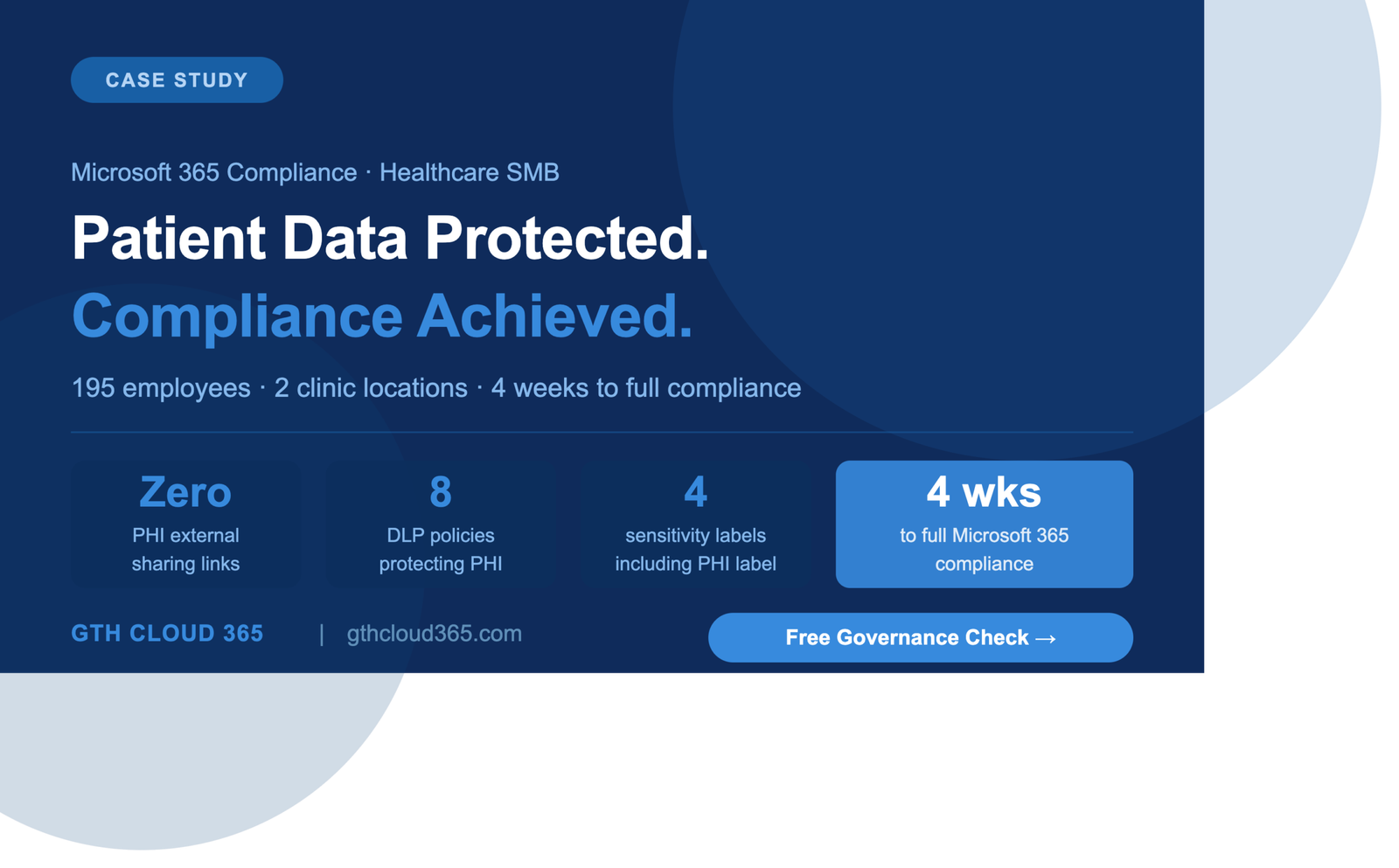
- Zero external sharing links containing patient-related information — all three removed within 48 hours of discovery
- 6 stale guest accounts removed — eliminating years of accumulated external access risk
- 14 SharePoint sites restructured into a governed role-based permission model
- 4 sensitivity labels deployed across the tenant with default labeling on all high-risk document libraries
- 8 DLP policies active covering PHI sharing, external email, and Teams guest communication
- 7-year email retention policy implemented for clinical communications — meeting applicable records retention requirements
- Audit alerts active for 12 high-risk activity scenarios across SharePoint, OneDrive, Exchange, and Teams
- Cyber insurance renewal confirmed — the organization was able to respond to the insurer’s compliance questions with documented evidence of controls in place
- Copilot pilot approved for administrative staff — the first phase of AI adoption enabled safely within a governed environment
- HIPAA risk assessment completed — Microsoft 365 scope confirmed as addressed within the four-week engagement
The IT coordinator reported that the governance playbook alone had changed the way staff thought about sharing patient information in Microsoft 365. The training session generated more questions from clinical staff than any previous IT session — because for the first time staff understood why the rules existed and what the consequences of getting it wrong could be.
What the Client Said
“We thought we were compliant because we had the right licenses. GTH Cloud 365 showed us in week one that having the licenses and actually using them are completely different things. Four weeks later we had real controls in place, real evidence for our insurance renewal, and for the first time I could actually answer the question — is our patient data protected in Microsoft 365? The answer is yes. I could not have said that before.”
— IT Coordinator, Healthcare Services Organization, United States
Is Your Healthcare Organization’s Microsoft 365 Environment Actually Compliant?
Most healthcare SMBs using Microsoft 365 believe they are compliant because they have Business Premium licenses. The controls those licenses include are only active if someone has implemented them.
A sensitivity label that has never been created protects nothing. A DLP policy that has never been configured blocks nothing. An audit log that has never been reviewed catches nothing.
GTH Cloud 365 offers a free Microsoft 365 Governance and AI Readiness Health Check for healthcare SMBs and other organizations handling sensitive data. In one session we identify your top compliance gaps, quick wins, and a clear path to a governed and audit-ready Microsoft 365 environment.
Microsoft 365 compliance for healthcare organizations does not require a large IT team or enterprise budget — it requires the right controls implemented correctly in the licenses you already have.
No obligation. No sales pressure. Just specific, actionable guidance for your Microsoft 365 environment.
Request Your Free Governance Health Check →