
Copilot vs Copilot Studio is one of the most common questions we hear from small business owners in 2026, and the confusion makes sense. Microsoft uses the word “Copilot” for several products. Two of them matter most to SMBs, and they do very different jobs.
Service: Copilot & AI Readiness | Best for: SMBs with 10–300 users deciding where to spend their AI budget
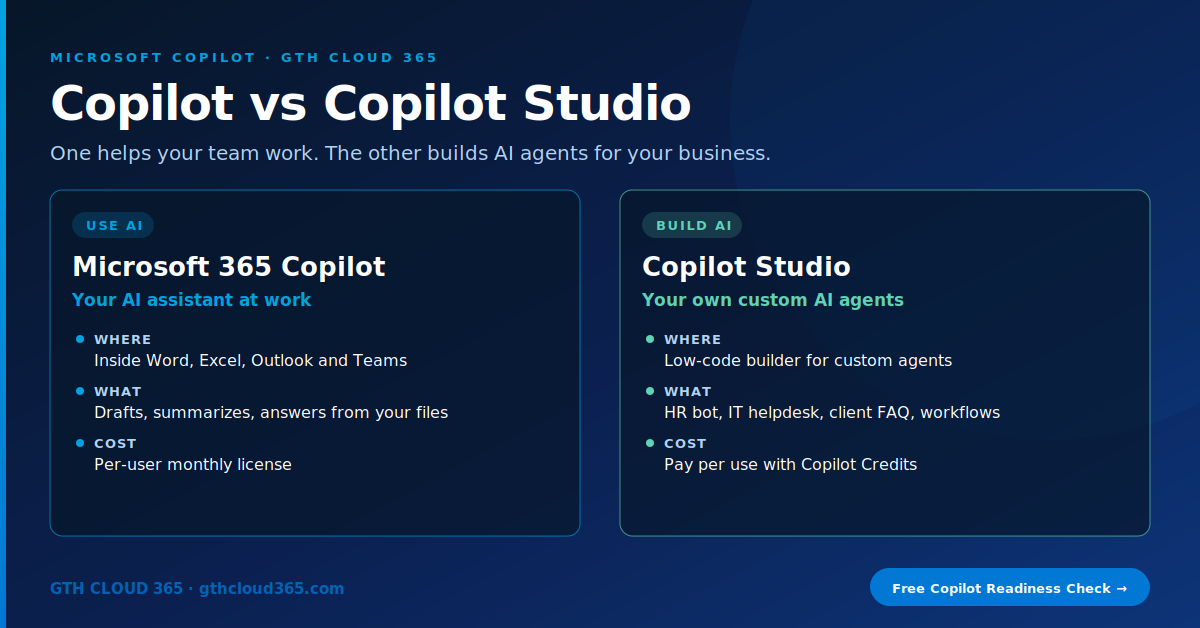
Here’s the short version. Microsoft 365 Copilot helps your people work faster inside the apps they already use. Copilot Studio lets you build your own AI agents for specific business processes. One is a tool you use. The other is a tool you build with.
Choosing the wrong one wastes money. Buy Copilot Studio when you needed Copilot, and you get a builder nobody has time to build with. Buy Copilot licenses when you needed an agent, and your helpdesk is still answering the same 40 questions every week.
What Is Microsoft 365 Copilot?
Microsoft 365 Copilot is an AI assistant built into Word, Excel, PowerPoint, Outlook and Teams. With a paid license, it works with your company’s data: your emails, files, chats and meetings, limited to what each user already has permission to see.
What it does well:
- Summarizes long email threads and Teams meetings
- Drafts documents, proposals and replies from your existing files
- Analyzes spreadsheets and suggests formulas or charts
- Answers questions like “What did we agree with the client last week?”
How it’s priced: per user, per month. As of October 2026, Microsoft lists Microsoft 365 Copilot Business (for smaller organizations) from $18 per user/month on annual billing, and Microsoft 365 Copilot Enterprise at $30 per user/month. Both are add-ons to a qualifying Microsoft 365 plan.
There’s also Copilot Chat, included with most Microsoft 365 business plans at no extra cost. It’s a secure, web-grounded AI chat that can work with a file you have open, but it doesn’t reason across all your company’s emails, files and meetings the way the paid license does. For many teams, Copilot Chat is the right free starting point.
What Is Copilot Studio?
Copilot Studio is Microsoft’s low-code platform for building your own AI agents. An agent is a focused assistant that knows a specific set of information, follows your rules, and can take actions.
Typical SMB agents:
- HR policy agent: answers PTO, benefits and handbook questions in Teams
- IT helpdesk agent: handles password resets, “how do I” questions and ticket creation
- Client FAQ agent: answers common customer questions on your website
- Process agent: collects intake details, checks a SharePoint list and starts a Power Automate flow
Agents can use SharePoint sites, documents, websites and business systems as knowledge sources, and they can connect to more than a thousand services through Power Platform connectors.
How it’s priced: by usage, measured in Copilot Credits. Microsoft’s current list options are a $200/month pack of 25,000 credits or pay-as-you-go at $0.01 per credit billed through Azure. One useful detail: when users who already have a Microsoft 365 Copilot license use an agent inside Teams or Microsoft 365 Copilot, that use is generally covered by their license, with some exceptions. Agents for external users, such as website visitors, use paid credits.
Copilot vs Copilot Studio: Side-by-Side
| Microsoft 365 Copilot | Copilot Studio | |
|---|---|---|
| Purpose | Helps each person work faster | Builds agents for a specific process |
| Who uses it | Every licensed employee | Makers build; employees or customers use the agent |
| Where it lives | Word, Excel, Outlook, Teams, PowerPoint | Teams, SharePoint, your website, other channels |
| Data it uses | Everything the user can already access | Only the knowledge sources you connect |
| Pricing model | Per user, per month | Per use (Copilot Credits) |
| Setup effort | Low: assign licenses and train | Medium: design, build, test, maintain |
| Best first step | Pilot with 5–10 power users | One high-volume, repetitive process |
Which One Should Your Business Start With?
Start with Microsoft 365 Copilot if:
- Your team spends hours each week on email, meetings and document drafting
- You want quick productivity gains without building anything
- Your problem is “everyone is busy,” not “one process is broken”
Start with Copilot Studio if:
- The same questions get answered over and over (HR, IT, customers)
- A process depends on one person who’s always interrupted
- You want AI available to customers or partners, not just staff
Use both if: you’ve rolled out Copilot to your core team and found a few processes that would work better as a dedicated agent. That’s where most mature SMBs end up.
Inside Microsoft 365 Copilot you’ll also find a simpler agent builder for quick, personal agents. It’s good for experimenting. Move to full Copilot Studio when you need actions, workflows, external channels or proper testing.
The Step Most SMBs Skip: Get Your Data Ready First
Both products depend on your data, and both respect existing permissions. That’s good security, but it also means any oversharing you already have becomes very visible:
- A SharePoint site shared with “Everyone” means Copilot can surface those files to everyone.
- An agent pointed at an outdated policy library will give outdated answers with confidence.
- A Power BI report without proper security means Copilot can summarize numbers people shouldn’t see. Our guide to Power BI row level security explains how to fix that.
Before buying either product, check sharing settings, apply sensitivity labels to confidential content, and clean up stale sites. Our Microsoft 365 governance framework walks through that in four weeks.
Common Copilot vs Copilot Studio Mistakes
- Licensing everyone on day one. Pilot with a small group, measure the time saved, then expand.
- Building an agent with no owner. Every agent needs someone who keeps its knowledge current.
- Skipping governance for Copilot Studio. Use Power Platform environments and data policies so agents can’t connect to anything they like.
- Expecting AI to fix messy content. Clean, well-organized SharePoint gives better answers than any prompt.
- Not tracking credit usage. Set up usage monitoring before you publish an agent to a public website.
For Microsoft’s full overview, see What is Copilot Studio? on Microsoft Learn and the Microsoft 365 Copilot Business plan page.
How GTH Cloud 365 Helps
Our Copilot and AI readiness service helps SMBs make this decision with real data, not guesses:
- Readiness review of SharePoint, OneDrive and Teams sharing
- Copilot pilot plan with clear success measures
- Copilot Studio agent design for your highest-volume process
- Governance setup: environments, data policies, sensitivity labels
- Training so your team actually uses what you pay for
The right Copilot, in the right order, on data that’s ready for it.
👉 Book a free Copilot readiness check. We’ll tell you which one to start with in 30 minutes.