
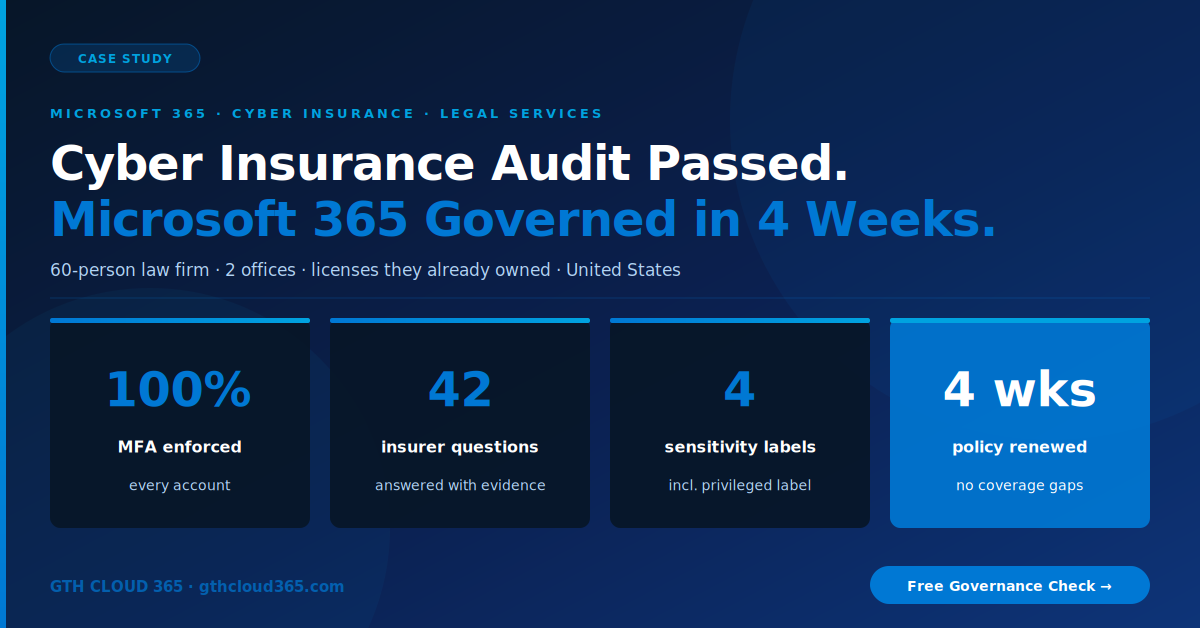
Microsoft 365 cyber insurance questionnaires have changed: insurers no longer accept “yes, we have that.” They want evidence. This is how a 60-person law firm went from unable to answer to a renewed policy in four weeks.
Service: Microsoft 365 Governance & Security | Industry: Legal Services | Company Size: 60 employees, 2 offices | Location: United States | Technologies: Microsoft 365 Business Premium, Microsoft Entra ID, Microsoft Purview, SharePoint Online, Exchange Online, Microsoft Teams
The Client
A regional law firm with 60 employees across two offices, practicing business litigation, estate planning, and real estate law. The firm had run on Microsoft 365 Business Premium for five years. Attorneys, paralegals, and staff used Outlook, Teams, and SharePoint every day for client files, case documents, and privileged communications.
The Business Challenge
Six weeks before the policy expired, the firm’s cyber insurance renewal arrived with a new 42-question security questionnaire. Last year’s renewal had been a two-page form. This one asked for specifics:
- Is multi-factor authentication enforced for every user, including partners and remote access?
- Is legacy authentication blocked?
- Is sensitive client data classified and protected from external sharing?
- Are audit logs retained, and can you show who accessed privileged files?
- How are external guest accounts reviewed and removed?
The office manager, who also handled IT alongside billing and HR, could not answer most of them with confidence. The broker was clear: incomplete answers could mean higher premiums, a coverage exclusion for ransomware, or no renewal at all.
The firm owned every tool it needed. Microsoft 365 Business Premium includes Conditional Access, Microsoft Purview sensitivity labels, DLP, and audit logging. None of it had been configured.
Why Microsoft 365 Cyber Insurance Questionnaires Got Harder
Insurers paid out heavily on ransomware and business email compromise claims, and most traced back to the same gaps: no MFA, legacy authentication left open, and no visibility into who accessed what. Microsoft 365 cyber insurance questionnaires now test for exactly those controls, and “we think so” no longer counts. Law firms are a priority target because they hold privileged client data and move large sums through trust accounts.
What GTH Cloud 365 Found
Identity and access
- MFA registered for only 43 of 60 users. 17 accounts had no MFA, including 2 partners.
- Legacy authentication protocols still enabled, which lets attackers bypass MFA entirely.
- No Conditional Access policies. Sign-ins were allowed from any country, on any device.
- 9 external guest accounts from former co-counsel and vendors, still active.
Data protection
- Zero sensitivity labels. Privileged client communications stored the same way as marketing files.
- Zero DLP policies. A client’s estate documents could be emailed to any external address with no warning.
- Client matter folders in SharePoint open to all staff, regardless of who worked the matter.
Monitoring
- Audit logging on, but never reviewed, with no alerts configured.
- No way to answer “who opened this privileged file last month” without a manual investigation.
What We Did
We ran the engagement in four weeks, working straight down the insurer’s questionnaire so every control we implemented produced evidence the firm could submit.
Week 1: Identity lockdown. We enrolled all 60 users in MFA with the Microsoft Authenticator app, blocked legacy authentication tenant-wide, and deployed Microsoft Entra Conditional Access policies: MFA required everywhere, sign-ins restricted to the United States, and admin accounts limited to compliant devices. We removed all 9 stale guest accounts the same week.
Week 2: Data classification. In Microsoft Purview, we deployed four sensitivity labels: Public, Internal, Confidential, and Attorney-Client Privileged. We set Privileged as the default label on client matter libraries and restructured SharePoint permissions so staff see only the matters they are assigned to. For more on how labels work, see our guide to Microsoft Purview for SMBs.
Week 3: DLP and monitoring. We implemented three DLP policies: block external sharing of Privileged content, warn before emailing Confidential content externally, and protect financial and personal data such as account and Social Security numbers. We extended audit log retention and configured alerts for bulk downloads and after-hours access to privileged libraries. Our Microsoft 365 DLP policies guide explains the same three scenarios.
Week 4: Evidence pack and renewal. We built a Microsoft 365 cyber insurance evidence pack: screenshots, policy exports, and configuration reports mapped to each of the 42 questions. The office manager submitted it to the broker with the renewal application. We also delivered a one-page governance playbook and trained all staff on sensitivity labels and phishing-resistant sign-in.
The Results
- 100% MFA enforcement: all 60 accounts, partners included
- Legacy authentication blocked tenant-wide
- 9 stale guest accounts removed
- 4 sensitivity labels, including Attorney-Client Privileged as the default on client matters
- 3 DLP policies protecting privileged and financial data
- 42 of 42 insurer questions answered with documented evidence
- Policy renewed on time with no ransomware exclusion added
- Zero new licenses purchased. Every control came from the Business Premium subscription the firm already paid for.
The broker told the firm its evidence pack was among the most complete he had seen from a firm its size.
What the Client Said
“We had the licenses. We just could not prove anything. Four weeks later, every question on the insurance form had an answer and a screenshot behind it. For the first time, I can tell our partners our client data is protected and show them how.”
— Office Manager, Law Firm, United States
Is Your Firm Ready for Its Next Microsoft 365 Cyber Insurance Renewal?
Most SMBs on Microsoft 365 Business Premium already own every control their insurer asks about. The gap is configuration and evidence. If your renewal is within the next six months, now is the time to close it. Our 4-week Microsoft 365 governance framework and Microsoft 365 governance services are built for exactly this.
GTH Cloud 365 offers a free Microsoft 365 Governance and AI Readiness Health Check. In one session, we compare your environment against a typical cyber insurance questionnaire and show you which answers you can prove today, and which you cannot.
No obligation. No sales pressure.
Request Your Free Governance Health Check →